
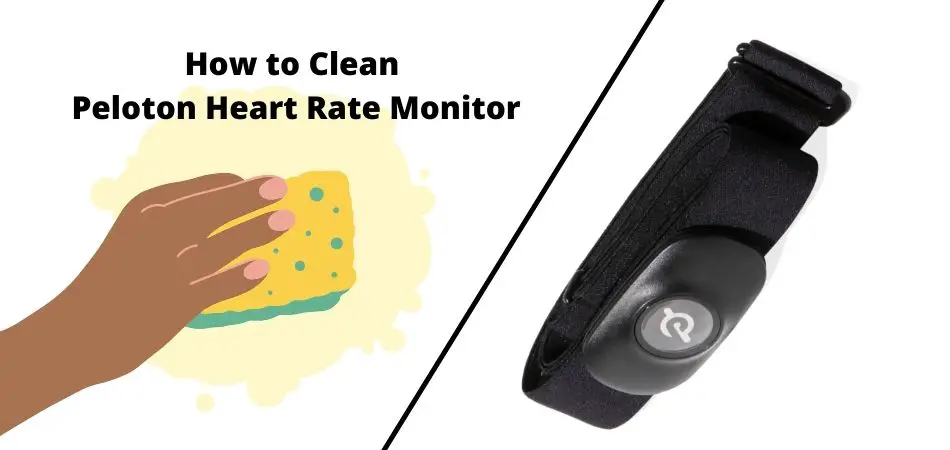
You should clean your Peloton heart rate monitor by removing the sensor pod, gently washing the strap or armband with mild soap and warm water, air-drying completely, and avoiding heat, bleach, and dryers. This keeps readings more consistent, helps prevent skin irritation, and extends the life of the monitor.
Peloton users typically have one of these:
- Peloton Heart Rate Monitor (Chest Strap) — strap around your chest with a removable sensor pod
- Peloton Heart Rate Band (Armband) — optical sensor pod clipped into an arm band
What Type of Peloton Heart Rate Monitor Do You Have?
Peloton Heart Rate Band (Armband)
If your device is worn on your upper arm with an optical pod that sits in a band, you have the armband-style Heart Rate Band. Peloton’s official care guidance for this model emphasizes hand-washing the armband and air-drying it fully before reuse.
Reference:
Peloton Heart Rate Band FAQs (official)
Peloton Heart Rate Monitor (Chest Strap)
If your device wraps around your chest with a removable sensor pod and fabric strap, it’s the chest-strap style. Peloton’s in-app performance depends heavily on clean contact surfaces and good strap hygiene. For detailed strap-care routines, the most reliable “best practice” guidance matches what leading heart-rate strap makers recommend (rinse after use, mild wash regularly, air-dry).
References:
Garmin: Caring for the Heart Rate Monitor
Polar: Maintenance of heart rate sensor with textile strap
How to Clean Peloton Heart Rate Monitor (Chest Strap)
Quick clean (after every workout)
- Detach the sensor pod from the strap (never wash the electronics as if it’s fabric).
- Rinse the strap with lukewarm water to remove sweat and salt.
- Gently squeeze out water (do not wring or twist aggressively).
- Air-dry the strap completely before using it again.
Deep clean (weekly or every ~5–7 workouts)
- Remove the sensor pod.
- Hand-wash the strap in warm water (up to 40°C / 104°F) with a tiny amount of mild detergent.
- Rinse thoroughly to remove soap residue (residue can irritate skin and affect contact).
- Air-dry fully, then reattach the sensor pod.
What not to do (chest strap)
- Don’t put it in a dryer or dry it with heat (heat can permanently damage straps).
- Don’t use bleach, strong disinfectants, or fabric softeners.
- Don’t wash the sensor pod like fabric and don’t soak it.
- Don’t store it wet in a sealed gym bag.
Best-practice references:
Garmin strap rinse + hand-wash guidance
and
Polar textile strap care guidance
How to Clean Peloton Heart Rate Band (Armband)
Step-by-step (Peloton official approach)
- Remove the heart rate pod from the armband.
- Hand-wash the armband using warm water (and a small amount of mild soap if needed).
- Rinse well so no residue stays in the fabric.
- Air-dry only (do not wring; avoid heat and dryers).
- Reassemble only when fully dry.
Reference: Peloton Heart Rate Band FAQs (cleaning and drying)
How Often Should You Clean Your Peloton Heart Rate Monitor?
| Situation | What to do |
|---|---|
| After every workout | Rinse strap/band, wipe sweat, and air-dry fully |
| Weekly (or every 5–7 workouts) | Hand-wash with mild detergent in warm water (max 40°C / 104°F), then rinse thoroughly |
| Heavy sweating / hot climates | Rinse immediately after use to prevent salt buildup |
| Skin irritation or itching | Deep clean and ensure no soap residue remains; let it dry completely |
Does Cleaning Improve Heart Rate Accuracy?
Yes. Sweat and salt buildup can interfere with skin contact on chest straps and can also create grime on armbands. Industry care guidance repeatedly highlights rinsing after each use and washing regularly to maintain reliable measurements.
References:
Garmin: rinse after every use
Polar: regular washing to maintain performance
Battery & Sensor Pod Care Tips
- Keep the pod dry: detach before washing fabric parts, and don’t soak electronics.
- Air-dry everything before reattaching the pod to the strap/band.
- Store in a cool, dry place, not sealed while damp.
- If readings become unreliable even after cleaning, check battery health and strap fit.
Common Cleaning Mistakes That Shorten Monitor Life
- Using a dryer or placing the strap near a heater
- Using bleach, fabric softeners, or harsh disinfectants
- Leaving soap residue in the fabric
- Storing the strap wet in a closed bag
FAQs
Can I put my Peloton heart rate strap in the washing machine?
It’s safest to follow a conservative approach: detach the pod and stick to hand-washing unless the strap’s label explicitly allows machine washing. Leading HR manufacturers emphasize gentle care, warm water limits (40°C / 104°F max), and avoiding dryers.
References:
Garmin cleaning limits (40°C max, no dryer)
|
Polar strap care guidance
Can I use alcohol wipes or disinfectant spray?
Avoid harsh disinfectants on fabric straps and bands. Mild soap and water is typically recommended for routine care, followed by thorough rinsing and air-drying.
Why does my heart rate strap smell?
Odor is usually sweat and salt buildup. Rinse after each workout and do a weekly deep clean with mild detergent.
My readings spike or drop randomly—will cleaning help?
Cleaning helps a lot, especially for chest straps. Also check strap tightness, correct placement, and ensure the strap is slightly moist at the contact areas before starting (common best practice for contact-based straps).
How long should I let it dry?
Until it’s fully dry to the touch. Reattaching a pod to damp fabric can promote corrosion or odor over time.
How do I avoid skin irritation?
Rinse sweat out promptly, rinse detergent out thoroughly after washing, and avoid residues. If irritation persists, stop using it and consult a clinician.
Conclusion
Cleaning your Peloton heart rate monitor is quick but important: remove the pod, rinse after each workout, hand-wash weekly with mild detergent (warm water only), and air-dry completely. This protects comfort, accuracy, and durability—without damaging the strap or electronics.