

Peloton delivery usually means your Bike, Bike+, Tread, or other equipment is delivered to your room of choice, with scheduling, timing, and setup details depending on the product and your location. Knowing how Peloton delivery works helps you avoid delays, rescheduling surprises, and last-minute prep issues.
For the most accurate, up-to-date rules and order-specific details, always check Peloton’s official support pages, including the Peloton Delivery Support hub.
How Does Peloton Delivery Work?
Most Peloton deliveries follow a simple flow:
- Place your order (Peloton website/app or in a showroom)
- Schedule your delivery (often at checkout or via a scheduling link sent after purchase)
- Prepare your home (space, access, power, Wi-Fi)
- Delivery day: equipment is brought to your room of choice; setup depends on the product and the delivery option selected
Important: Accessories like shoes, mats, weights, and monitors may ship separately and arrive on different days. If you purchased accessories separately, review Peloton’s accessory shipping fees and policies.
How Much Does Peloton Delivery Cost?
Peloton delivery cost can vary based on:
- Product type (Bike vs Tread vs Tread+ vs Row+)
- Where you live (some remote areas may have additional charges)
- Program (purchase vs rental vs promotions)
For example, Peloton’s Bike+ rental listing notes a $150 one-time delivery fee for that program (availability and terms can change). Always confirm the exact delivery cost in your checkout order summary and your confirmation email.
Accessory shipping (a la carte)
If you’re ordering accessories separately, Peloton’s support policy explains when accessory orders may qualify for free shipping and when fees apply. See the official shipping fees for Peloton accessories page for current thresholds and exclusions.
How to Schedule Peloton Delivery
Peloton supports self-service scheduling for many direct purchases. If you don’t schedule during checkout, you may receive a scheduling link after ordering.
1) Peloton delivery scheduling at checkout
During checkout, you may be offered available delivery windows based on your ZIP code and local capacity. If you don’t see a convenient slot, availability may improve as inventory and routes update.
2) Peloton delivery scheduling via email or text
After purchase, Peloton may contact you to schedule (or provide a link to schedule). The most reliable step is to follow the instructions in your order confirmation and scheduling messages, or use Peloton’s official self-service page when available.
Official reference: Self-Service Scheduling and Rescheduling (Peloton Support).
3) Peloton delivery scheduling in showrooms
If you purchase in a Peloton showroom, staff can help you place the order, but the actual delivery appointment still depends on local delivery capacity and confirmation through Peloton’s scheduling process.
How to Reschedule Peloton Delivery
Rescheduling is common. The best practice is to change your date as early as possible—especially if your order has not shipped yet.
- Use Peloton’s self-service link if eligible
- If you can’t reschedule online, contact Peloton support quickly
- If your item has already shipped, changes may be more limited
Official reference: Delivery Estimate and Reschedule FAQs (Peloton Support).
Can I Change the Peloton Delivery Date to a Later Date?
Usually, yes—especially if you request the change before the order is shipped or before the delivery partner finalizes routing. If you’re moving or renovating, rescheduling early is the safest option.
How Long Does the Peloton Delivery Take?
Delivery time varies by inventory, location, season, and delivery capacity. A realistic expectation is:
- Shortly after ordering: you either schedule at checkout or receive a scheduling message
- Delivery date: depends on local availability
- Possible reschedules: can happen due to logistics disruptions or capacity changes
Does Peloton call before delivery?
Communication varies by region and delivery partner. You may get a call, text, or email update, but you should rely on your confirmed delivery window and any official status updates tied to your order.
What Delivery Company Does Peloton Use?
Peloton may use third-party delivery partners in many regions. This is one reason the day-of experience can feel different depending on where you live. The best source of truth is always your order tracking and Peloton scheduling messages.
What to Expect on Peloton Delivery Day
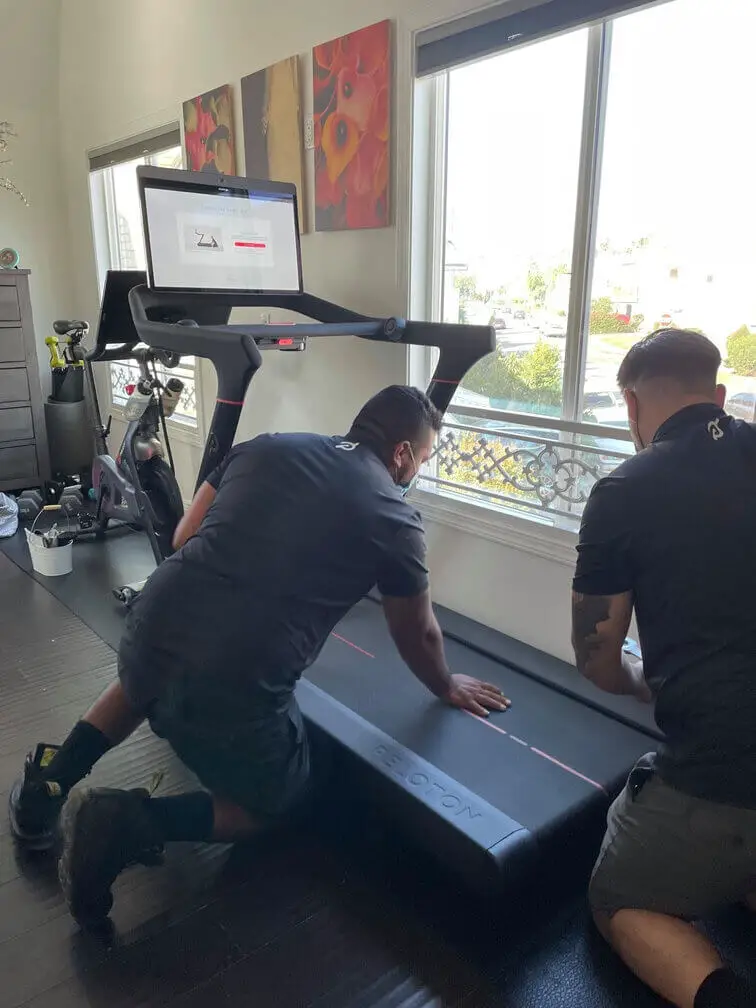
On delivery day, the team typically:
- Delivers your equipment to your room of choice
- Positions it where you want it
- May provide basic setup depending on the product and delivery option
What they usually don’t do:
- Move lots of furniture or do major room rearrangements
- Wait while you redesign your space
- Guarantee that every accessory is present (some ship separately)
Quick checklist before the team leaves
- Inspect the frame and screen for visible damage
- Confirm it powers on
- Check the display responds properly
- Verify key parts are present (seat/handlebar adjustments, base stability)
How to Prepare Your Home Before Peloton Delivery
Preparation is the biggest factor that prevents failed deliveries.
- Measure access: doorways, hallways, stairwells, tight turns, elevator dimensions
- Confirm placement: pick your final “room of choice” spot before the team arrives
- Power + Wi-Fi: ensure a nearby outlet and stable connection
- Clearance: treadmills need extra clearance for safe use—confirm space requirements on the product page you purchased
Does Peloton Delivery Include Assembly?
It depends on what you selected at checkout and the product. Some deliveries are closer to “white-glove” (delivery plus setup), while others may be more “room-of-choice delivery” where you handle certain steps.
- Bike/Bike+: often arrives largely assembled, but service level varies by region and selection
- Tread+: Peloton’s product listing notes delivery and setup for Tread+ (check your order details for current terms)
If you want to avoid confusion, take a screenshot of your checkout delivery/assembly selection and keep it with your order confirmation.
Should You Tip the Peloton Delivery Team?
Tipping is optional. Peloton does not publish a universal “required tip” policy on most public pages, and tipping customs vary by region.
Many customers choose to tip when:
- There are stairs or difficult access
- The delivery team provides careful placement and helpful setup support
- The service goes above and beyond
If the delivery was minimal or rushed, it’s also okay not to tip.
My Peloton Delivery Experience (Real-World Example)
A typical smooth delivery timeline looks like this:
- Day 0: Order placed
- Next few business days: Scheduling link/message arrives (or you schedule at checkout)
- Delivery week: Equipment arrives; accessories may arrive separately
- Delivery day: Equipment placed in room of choice; you confirm power-on and screen responsiveness
Most issues happen when buyers don’t measure access points or assume accessories will arrive in the same box.
How to Cancel a Peloton Order Before Delivery
If you need to cancel, Peloton provides an official cancellation pathway for equipment deliveries. Start here:
How to cancel a Bike/Tread/Row delivery (Peloton Support)
If you already received the product and you’re within the trial window, review Peloton’s official trial terms and return-fee details here:
Peloton’s 30-day home trial policy (official)
Common Peloton Delivery Problems (and Fixes)
Accessories didn’t arrive with the Bike
This can be normal because accessories may ship separately. Check your accessory shipping confirmations and review Peloton’s accessory shipping policy.
My delivery got rescheduled
Reschedules can happen due to logistics issues or local capacity. Use the official self-service scheduling/rescheduling page if eligible, or follow the steps in Peloton’s reschedule FAQs.
It won’t fit through the doorway or stair turn
This is usually an access/measurement issue. Measure doorways, hallway turns, and stair width before delivery day, and clear obstacles early.
Equipment arrived damaged
Take photos immediately, note the issue if paperwork is provided, and contact Peloton support the same day using the official Delivery Support hub.
Peloton Delivery FAQs
How far in advance does Peloton schedule delivery?
If you don’t schedule at checkout, you’ll typically be contacted after purchase with next steps or a scheduling link. For official details, use Peloton’s self-service scheduling page.
Can Peloton deliver upstairs?
Often yes, since Peloton commonly offers room-of-choice delivery, but access limitations can apply in certain buildings or layouts. If you have tricky stairs or narrow turns, measure carefully and contact support ahead of time.
Do I need to be home during delivery?
Yes. Plan for someone to be present to receive the equipment, confirm placement, and quickly check for damage or power-on.
Can I delay my Peloton delivery date?
Usually yes, especially if you reschedule before shipping or routing is finalized. See Peloton’s reschedule FAQs for details.
Is Peloton delivery free?
It depends on the product and program. Always verify the exact delivery cost in checkout and your confirmation email.
Do accessories always arrive with the Bike?
No. Accessories may ship separately and arrive on a different day.
Final Verdict — How to Get the Smoothest Peloton Delivery
Peloton delivery is usually smooth when you:
- Schedule quickly and follow official scheduling instructions
- Measure your access points and prep your room of choice
- Expect accessories to arrive separately
If you want the least stress, bookmark Peloton’s Delivery Support hub and keep your scheduling messages handy.